
Durability layer for displays
Unfold the Future of Displays
Ultra-rugged, collapsible, eye-safe displays for multiple uses. Low-vision users click here





Engineered for all things outdoors
From desert heat to orbital extremes and power-dense infrastructure, Arovia is being shaped around environments where durability is the requirement.
Engineered for Outdoors
Built to survive conditions that end consumer hardware.
Every Splay unit is validated against the same environmental standards used to qualify field and airborne electronics — not adapted after the fact from a tablet or monitor design.
IP65
Case Protection
Transport Splay through any conditions with confidence
-20-60C
Operating range
Operating range is 0 - 40 C Storage range is -20 - 60 C
4ft
Drop Rated
Practical drop testing onto hard surfaces.
200 nits
Eliminate outdoor glare
No more reflections for premium outdoor viewing
<7 lb
Pack Weight
Folds to a carry case sized for a single operator.
Battery with USB-C Backup
Field Power
Runs from standard field batteries or vehicle power.
Patented System Architecture
Splay combines multiple patented innovations, including a proprietary ultra-short-throw projector and advanced nanomaterial screen technology, to deliver a bright, eye-safe display that folds down to fit in a backpack.
Focus Adjustment
Manual optical focus ring for sharp image at any deployed distance.
Image Flip
Hardware switch for inverted or rear-projection mounting orientations.
Brightness Control
Physical dial for rapid adjustment across lighting conditions.
USB-C Power Input
Single-cable power delivery compatible with field battery packs.
HDMI Input
Direct video input for command, drone, and cyber kit integrations.
100% Flicker-Free
Always Stable. Always Easy
Superior Light Diffusion
Soft, even light. Gentle on your eyes.
Reduced Glare
Less reflection. More clarity.
Product Achievements
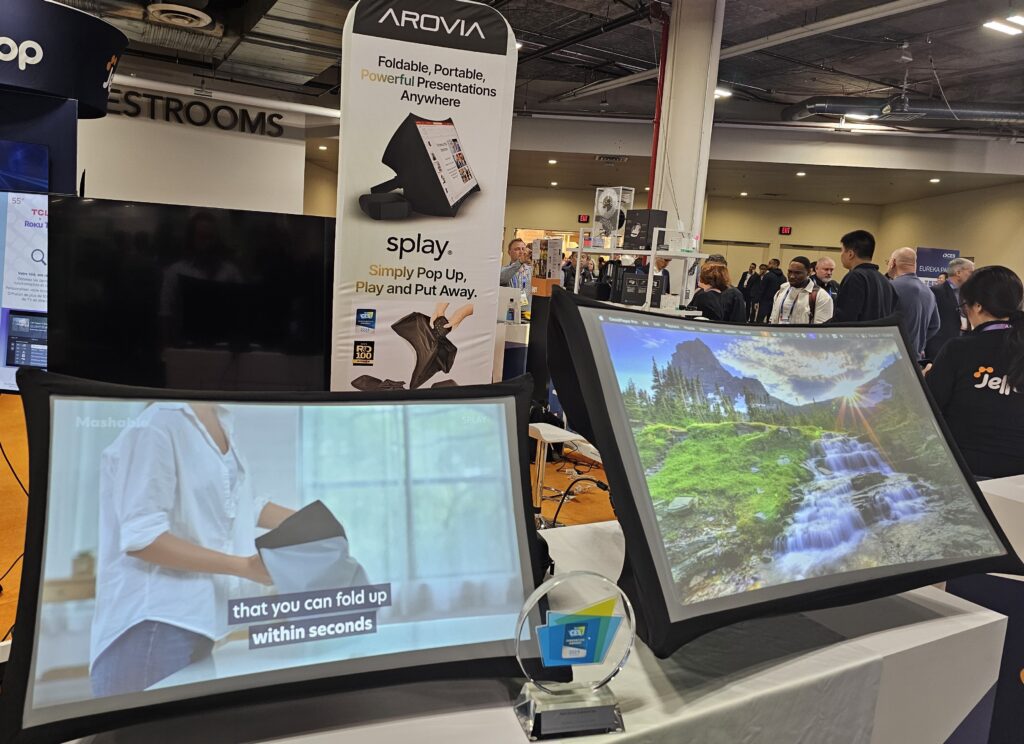
Recognized for excellence and structural innovation, Splay is backed by 19 patents and honored with the prestigious CES Innovation Award and the R&D 100 Award.

19 Patents

CES Innovation Award

R&D 100 Award
How Our Customers Use Splay
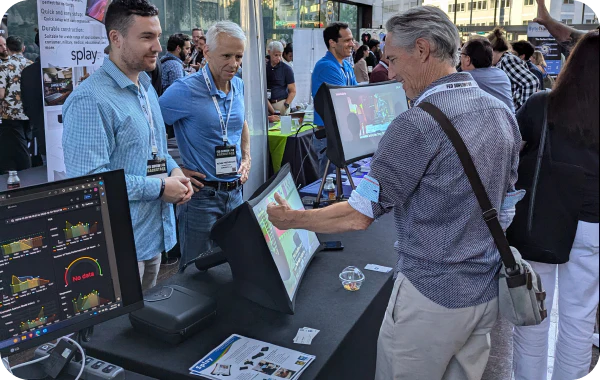
Engage and Impress Anywhere
Mobile Sales and Tradeshows
Set up dynamic displays in any environment—no bulky equipment or power outlets needed. Splay’s large HD screen and quick setup let you focus on closing deals, not wrestling with tech.
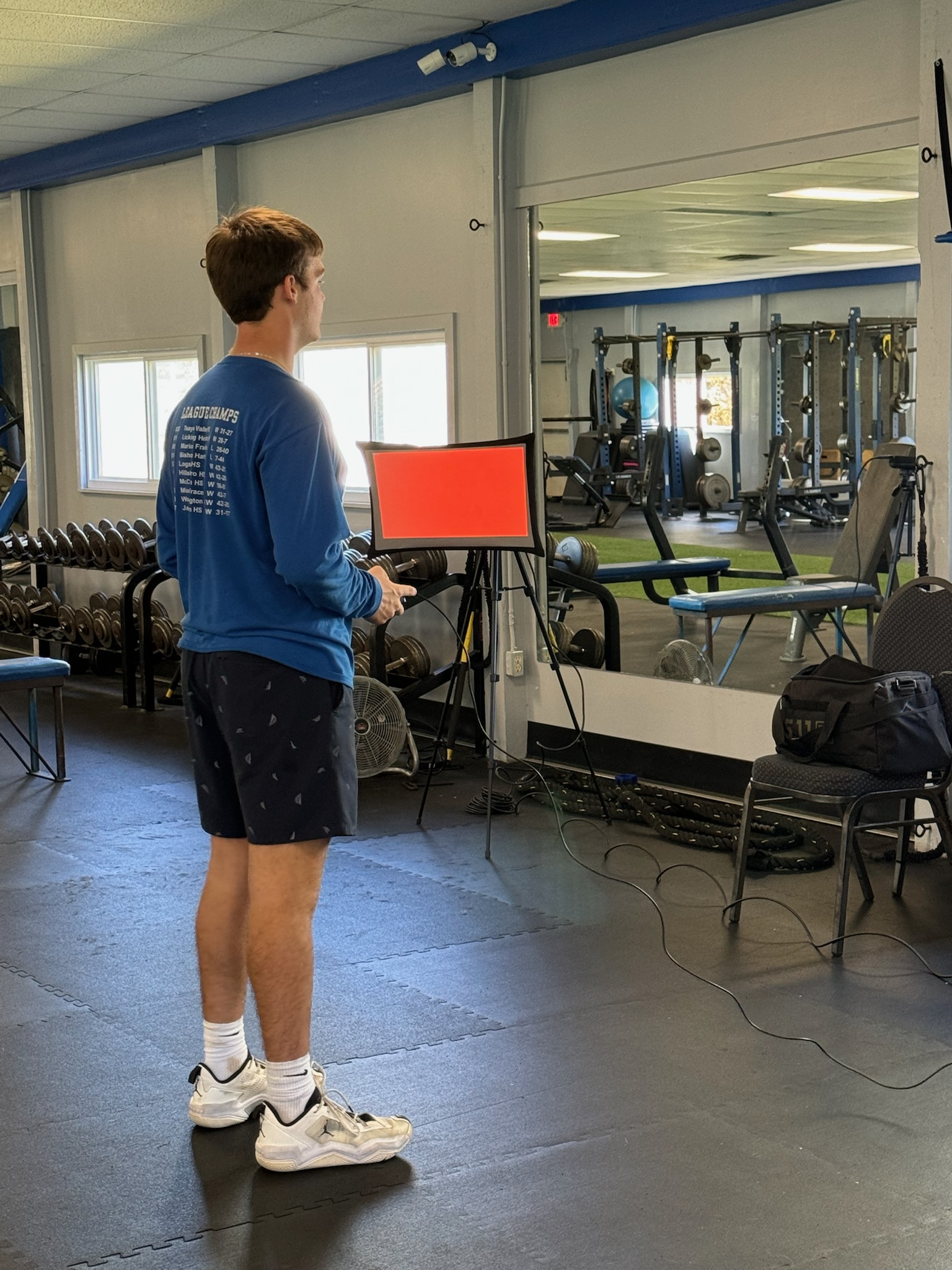
Analyze and Improve On the Go
Sports Training and Data Analytics
Perfect for coaches and analysts, Splay offers a portable, bright display for reviewing footage, reaction time training and data review on and off the field. Adaptable and easy to transport between sessions.
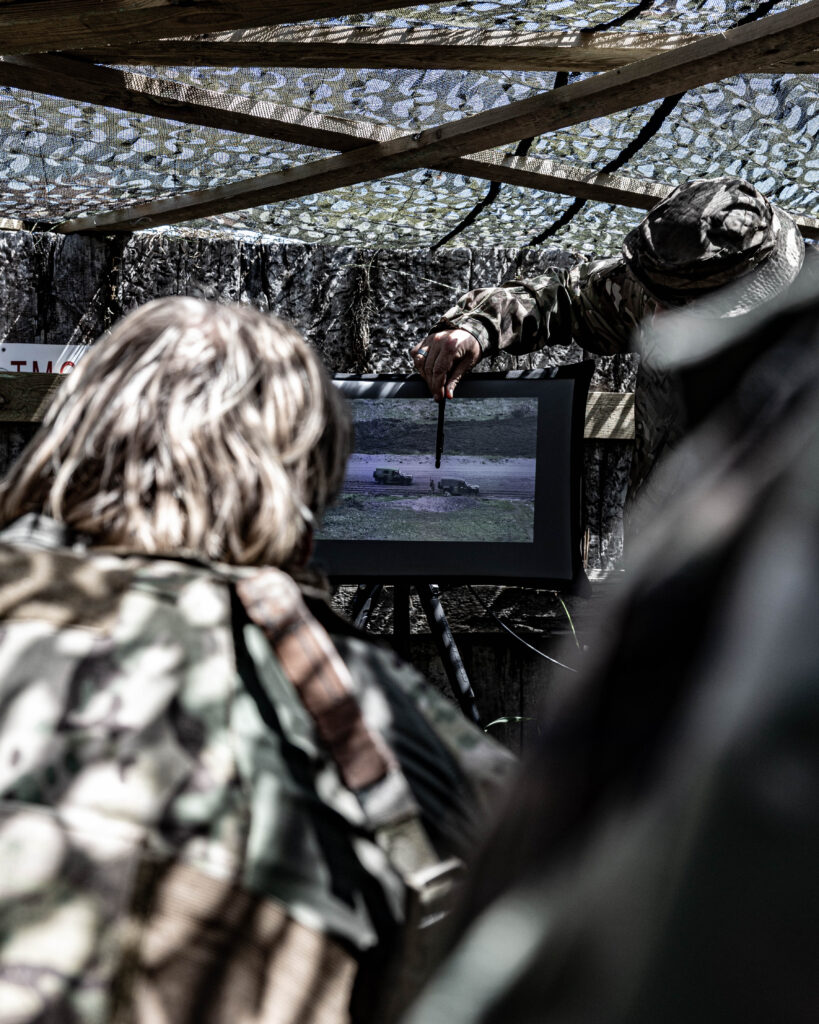
Rugged, Reliable, Ready
Military and Emergency Response
Built for tough conditions, Splay withstands in the field with military-grade durability. Quick setup and dual display modes provide flexibility for critical operations anywhere.
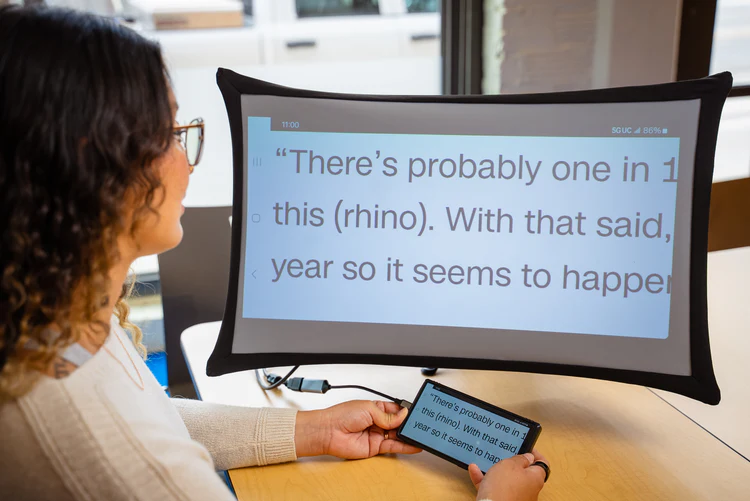
Empowering Mobility and Comfort
Assistive Technology and Remote Work
Splay enhances accessibility with an ergonomic, adjustable display. Portable and easy to set up, it’s perfect for remote work and users needing versatile tech solutions.
Customer Segments
Our rugged displays are designed for industries that demand exceptional durability, reliable performance, and advanced display technology in challenging environments.
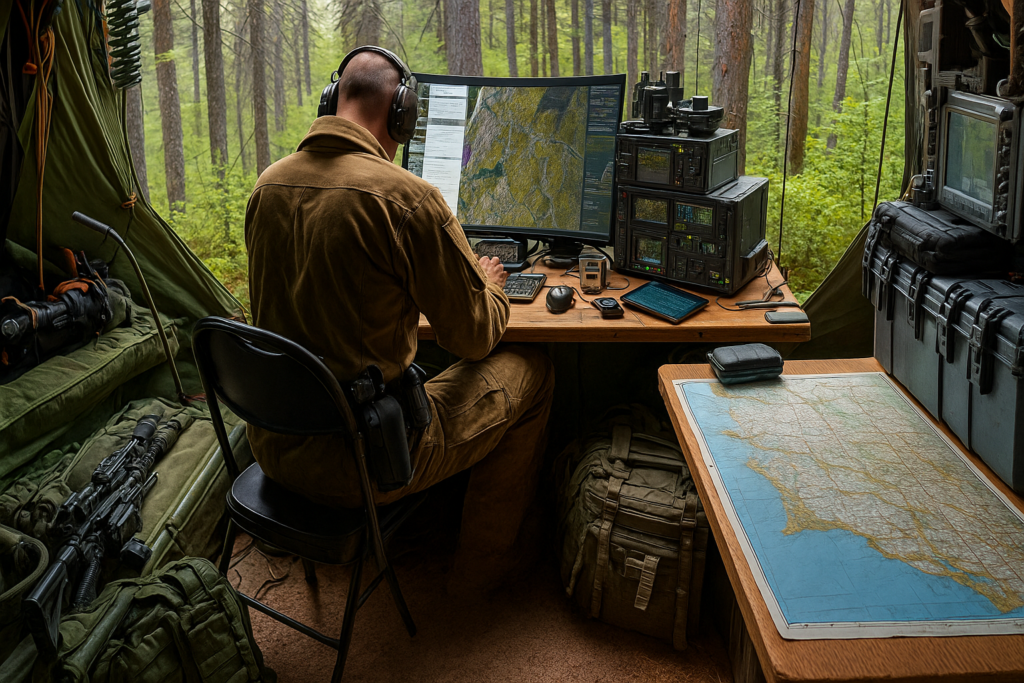
Defense
Ultra-rugged, foldable nanomaterial displays built for demanding military and defense environments. Lightweight, bright, and durable, they deliver reliable performance for field operations, command centers, surveillance, and mobile deployments.
Key Features
- Ultra-rugged and weather-resistant
- Foldable, lightweight, and portable
- High brightness for outdoor visibility
- Shock, vibration, and dust resistant
- Low power consumption
- Custom sizes and configurations
- Mission-ready performance
Enterprise
Flexible, large-scale nanomaterial displays designed for enterprises, smart factories, and logistics environments. Ideal for real-time monitoring, digital signage, dashboards, and data visualization, with scalable solutions for any workspace.
Key Features
- Large-scale, seamless displays
- Lightweight and flexible installation
- Real-time dashboards and data visualization
- Smart factory and enterprise integration
- High brightness for indoor and outdoor use
- Energy-efficient operation
- Custom sizes and aspect ratios
Accessibility
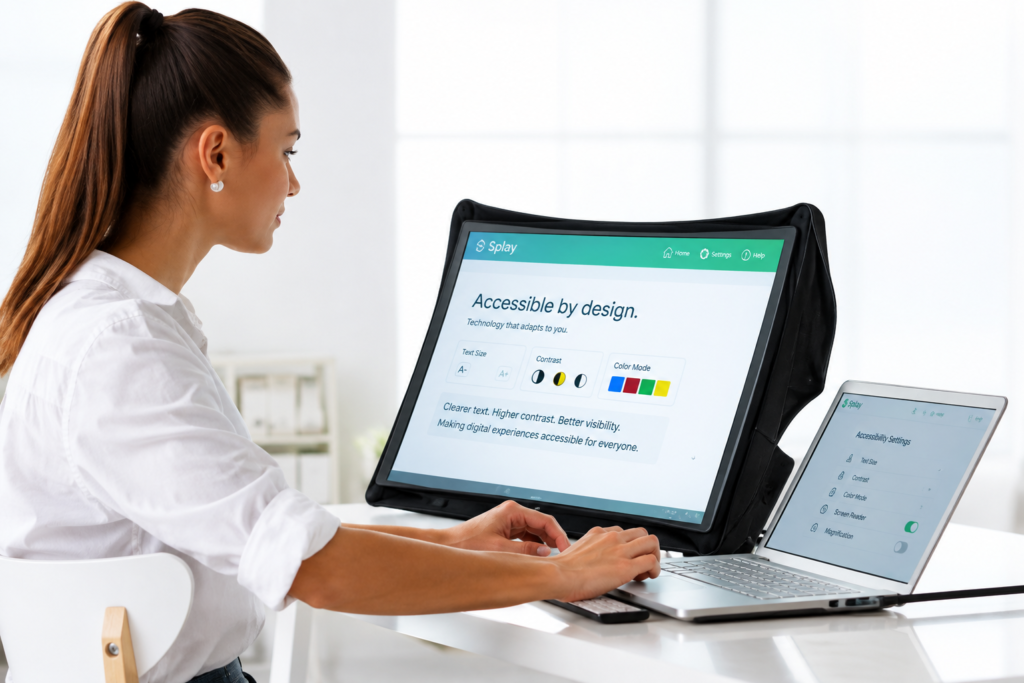
Advanced nanomaterial displays designed for comfortable, accessible viewing. Diffused screen technology reduces glare and harsh reflections while improving readability across education, healthcare, workplace, and public environments.
Key Features
- Diffused technology for comfortable viewing
- Reduced glare and reflections
- Helps minimize visual strain
- Improved readability in varied lighting
- Lightweight and portable
- Adaptive, inclusive display solutions
- Ideal for education, healthcare, and workplaces
Who buys Splay
Two buyers, one platform.
Defense & Government
Mission-critical display for contested environments.
- Command & Control Centers
- Drone Kits
- Cyber Kits
- Special Forces Field Kits
- Aircraft Integration
Enterprise & Field
A large screen that travels to where the work happens.
- Outdoor Field Sales
- Healthcare
- Oil & Gas
- Construction
See what people are saying…
Gated Insight
The Procurement Guide to Neurovision Insitute report
A technical brief on environmental test standards, total cost of ownership, and integration requirements for large-format displays in defense and industrial deployments.
We’re here to answer all your questions.
What makes the Splay projection material special?
Our patent-granted Splay material science technology is the only display (projection or otherwise) that can fully fold without permanent wrinkles, a result of years of R&D. Additionally, we hold patents for our one-step, extremely durable expand-and-collapse display mechanism. Discover more about our granted U.S. patents here.
Why is Splay so eye-friendly?
This combination of a matte nanomaterial screen that provides diffusion, paired with a projector that decreases blue light at the source, means users with sensitive eyes benefit extensively. We prioritize contrast and image quality with our nanomaterial, not blasting maximum light output at high frequencies into the users’ retina to get a better image like other display products. Typical screen luminance measures do not fully capture the next-gen optics/materials design within Splay that at the end of the day, just works
Will the screen wrinkle or crease when folded?
We developed and patented the first type of projection screen that significantly mitigates wrinkles when collapsed. Combined with the tension applied by the arms, this ensures a perfectly flat screen surface, maintaining image quality without interference.
How do I connect to Splay?
You can easily connect your phone, tablet, laptop, gaming console, and more to Splay via HDMI or wireless adapters such as Chromecast or Roku stick. These devices enhance Splay’s functionality by transforming it into a portable smart TV, enabling you to stream your favorite shows and movies wherever you are.
For devices without HDMI output, adapters like Apple Lightning to HDMI for iPhones and USB-C to HDMI for Android phones and newer MacBooks and iPads are readily available. Each Splay box includes a USB-C to HDMI adapter and a tripod to enhance your viewing experience.
Using a Roku stick or Chromecast with Splay turns it into a versatile entertainment system, perfect for presentations or leisure. These small but powerful devices make any space a theater-like environment or an interactive display, ensuring you have access to all your content on the go.
What should I do if the lights on my Splay aren't showing when it's charging?
If you don’t see the charging lights immediately when you plug in your Splay, don’t worry—this can sometimes happen. Please allow at least 10 minutes for the device to charge before the indicator lights appear. This delay ensures the device has enough power to activate the display lights. If the lights still do not appear after this time, or if you have any other concerns, please reach out to us at founders@arovia.com. We’re here to assist you with any issues you may encounter.
Can I use Splay outside?
We recommend using Splay outdoors only in shaded areas or close to dusk, dawn, and at night. Splay works well in most indoor environments, but like all projectors, you should avoid direct light, such as direct sunlight and very bright lights.
What can I do if I want to change the display angle?
There’s a kickstand at the back of Splay that you can use to adjust the angle.
Can I use a powerbank to charge Splay?
Yes, you can use a powerbank. Just make sure it supports 15 V PD like this one.
Can I use Splay in portrait mode?
Yes, Splay can be used in portrait mode. Windows and Mac have ways to adjust orientation to portrait. With iOS and Android, you need to use 3rd party dongles.
How does projector mode work?
You can easily remove our patented display technology in less than a minute and, with the press of a button, flip the image to project on a wall. Projector mode includes vertical auto-keystone correction, automatically flattening the image if the projector is tilted. Switching back to display mode is just as easy, ensuring seamless transitions between uses.
How can I make my Splay louder?
If you want to enhance the volume on your Splay, try the following steps:
1. Adjust the Pre-Amp in VLC (Android):
Open VLC on your Android device. Navigate to the audio settings and increase the pre-amp level to +12 dB. This can help boost the audio output.
2. Use Volume Booster Apps:
For iOS devices, consider using apps like “Volume Booster: Equalizer FX” available on the App Store. These apps can amplify the sound output of your device.
3. Check Volume Limit Settings (iOS):
Ensure that your device’s volume limit is set to the maximum. On an iPad, go to Settings > Music > Volume Limit and adjust the limit if it’s set too low.
4. Test Different Input Devices:
Different input devices can have varying pre-amp levels. Try using multiple devices to see which one provides the best audio performance without risking speaker damage.
By following these steps, you can optimize the audio output of your Splay and enjoy a louder, clearer sound experience.
What should I do if my Splay is not turning on?
1. Make sure Splay is not connected to any charging cable. Please charge for at least 20 minutes before trying to turn on the unit.
2. Take a thin pin like a SIM card pin, and insert it into the tiny circular hole right underneath the type C port. Do it multiple times and durations from one second to 5 seconds, just to make sure you activate the reset.
3. Charge the unit using the original Splay charger, or any type C PD charger that’s able to output 15V, such as the MacBook charger. Please charge for at least 20 minutes before trying to turn on the unit.
How much bigger is Splay’s display than other portable display solutions?
Splay’s display is 3 times bigger than most laptop, USB monitor, and tablet displays. You can see a reference comparison here and a tabular comparison of 16:9 aspect ratio screens here.
How is Splay better than our first product, SPUD?
Splay is a MASSIVE upgrade: higher resolution, significantly increased brightness, lighter weight, re-imagined industrial design, and a new mode to use as a projector.
How much depth does Splay have in the back?
Here’s Splay compared to Alex’s 15-inch laptop: View Comparison.
What is Splay’s highest brightness?
Splay’s highest brightness in display mode is 220 nits and in projector mode, it is 260 lumens.
How long does the bulb last?
Splay uses LEDs rated to last 20,000 hours, allowing for extensive use over many years.
Does Splay have auxiliary out, in case you want to use speakers besides the Splay speakers?
No, but there are many options for different audio out on various devices.
What DLP are you using?
We are using Texas Instrument’s DLP230NP DLP® 0.23 1080p DMD. For more details, see the TI product page.
How does Splay’s quality compare to a traditional LCD-based display?
See some unprocessed side by side comparisons with the M1 MacBook Air here.
What is Splay’s warranty?
Splay is covered by a one (1) year manufacturer’s warranty, covering defects caused solely by our own manufacturing, workmanship, or assembly process. Damage caused by the user is not covered under this Warranty Policy.
Will Splay support my country’s plug type?
Yes, we will ship with a plug type specific to your shipping address.
If applicable, are VAT and Customs Duty included?
No, VAT and Custom Duty are not included. However, we will make every effort to help you minimize these if applicable. Splay is in a duty-free category in the U.S.
What is our refund policy?
Our refund policy lasts thirty (30) days from date of shipment. Returns are subject to specific conditions and fees, depending on the item’s condition and packaging.
MORE QUESTIONS?
What if I have more questions? Please email us at sales@arovia.com.
Connect with us
If you have questions or concerns about Splay, our expert team is here to assist with technical and customer support issues.
Talk with engineering team.
For OEMs, systems integrators, developers, and technical partners evaluating Splay for a program or deployment.